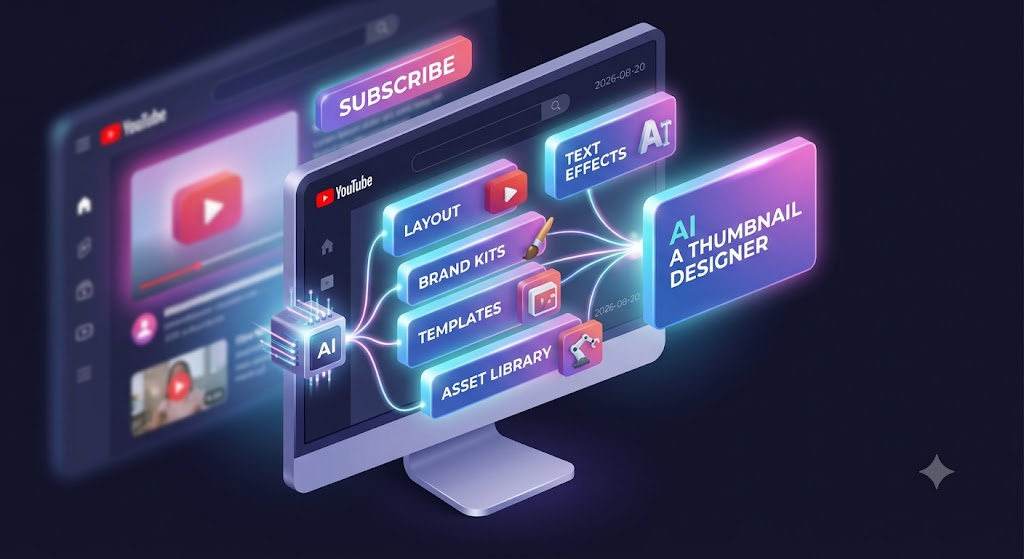
A great YouTube video can fail if the thumbnail doesn't capture attention.
Creating consistent, visually structured thumbnails manually requires repeatedly building designs from scratch. The process often involves finding backgrounds, cutting out subjects, arranging text, applying effects, and testing layouts.
TL;DR: Thumbnail design is highly repetitive. AI agents solve this by automating background removal, layout structuring, and branding application. Instead of spending hours masking subjects and tweaking text layers in Photoshop, creators can generate, test, and iterate on dozens of high-converting variations in seconds.
AI agents are now automating the repetitive work of creating and refining YouTube thumbnails, allowing creators to focus on the concept rather than the pixels.
The Problem with Manual Thumbnail Design
A typical manual workflow can involve:
Concept → Find Assets → Mask Subjects → Layout → Text → Effects → Branding → Refinement
Every time a creator wants to test a new variant or build a thumbnail for a new video, they have to repeat these mechanical steps. This slows down the ability to iterate and test different visual hooks.
What Parts of Thumbnail Design Can Be Automated?
Smart Layout Generation
AI can intelligently position subjects and backgrounds to ensure clear visual hierarchy, avoiding cluttered designs that perform poorly on mobile devices.
Custom Brand Kits
Instead of manually matching hex codes and font files, AI can automatically apply your preferred brand colors, logos, and typography to every generated variant.
Advanced Text Engine
Thumbnails require prominent, readable text. Automation can apply bold typography, dynamic stroke styles, and 3D effects instantly without manual layering.
Asset Integration
Directly search, import, and automatically mask royalty-free assets as part of the design workflow.
Visual Effects
Apply standard color correction, shadowing, lighting, and advanced 3D text effects with a single click.
AI-Assisted Refinement
Creating a thumbnail is rarely a one-step process.
The true power of an AI Thumbnail Designer is the ability to generate a design and then refine it iteratively. Instead of manually rebuilding the entire composition when you want to change the background or swap a font, the AI handles the structural changes for you.
How Agents-Kart Automates Thumbnails
Agents-Kart's Thumbnail Designer automates and simplifies the repetitive design steps. By combining Smart Compose AI with your Custom Brand Kit and Advanced Effects, you can generate and refine high-converting YouTube thumbnails in seconds.
Automate the layout, effects, and branding so you can iterate faster and maximize your click-through rates.
Frequently Asked Questions
Will AI thumbnails look like obvious AI art?
Not necessarily. AI thumbnail generators differ from prompt-to-image generators (like Midjourney). Instead of generating an entire image from scratch, these agents composite real photos, clear text, and brand elements using intelligent layout rules, mimicking human graphic design.
Can I A/B test the thumbnails I generate?
Yes! Because AI can generate variants instantly, you can quickly produce 3-4 different versions (e.g., changing the text hook or background color) and A/B test them using YouTube's native thumbnail testing feature.
Do I need to be a designer to use these tools?
No. The agent is pre-programmed with best practices for contrast, rule-of-thirds, and visual hierarchy, acting as your technical designer. You just provide the core concept and the text.